
The Problem
It started like any other day at the office.
Copy, paste. Copy, paste…
Eventually, the intrusive thought stopped feeling so intrusive:
There has to be a better way.
That was the first step towards my career in software.
I was working as a digital content writer for a publishing conglomerate, and one of my regular tasks was writing up buying guides featuring dozens of products. Each product required 20–30 copy-pastes from the retailer's site, plus re-formatting, price checking, and manually calculating discounts. With 30–50 products to process on any typical day, I usually saw more than an hour disappear into this one task.
That might not sound too bad on paper, but the real cost is deeper than just the time lost — it forced my limited energy onto work that a computer simply handles better.
That has cascading effects; writing and research tasks had to be rushed, the quality of my work suffered, and mistakes created extra work for my editors. That also translated to extra stress in an already fast-paced working environment.
The Solution
Now there's plenty of obvious tools that can help alleviate these repetitive tasks. Unfortunately for me, they were all either unavailable, unsuitable, or blocked by workplace restrictions, so I had to find a more creative solution.
No, the solution was not an expensive automation platform or company-wide AI integration — it was Emacs.
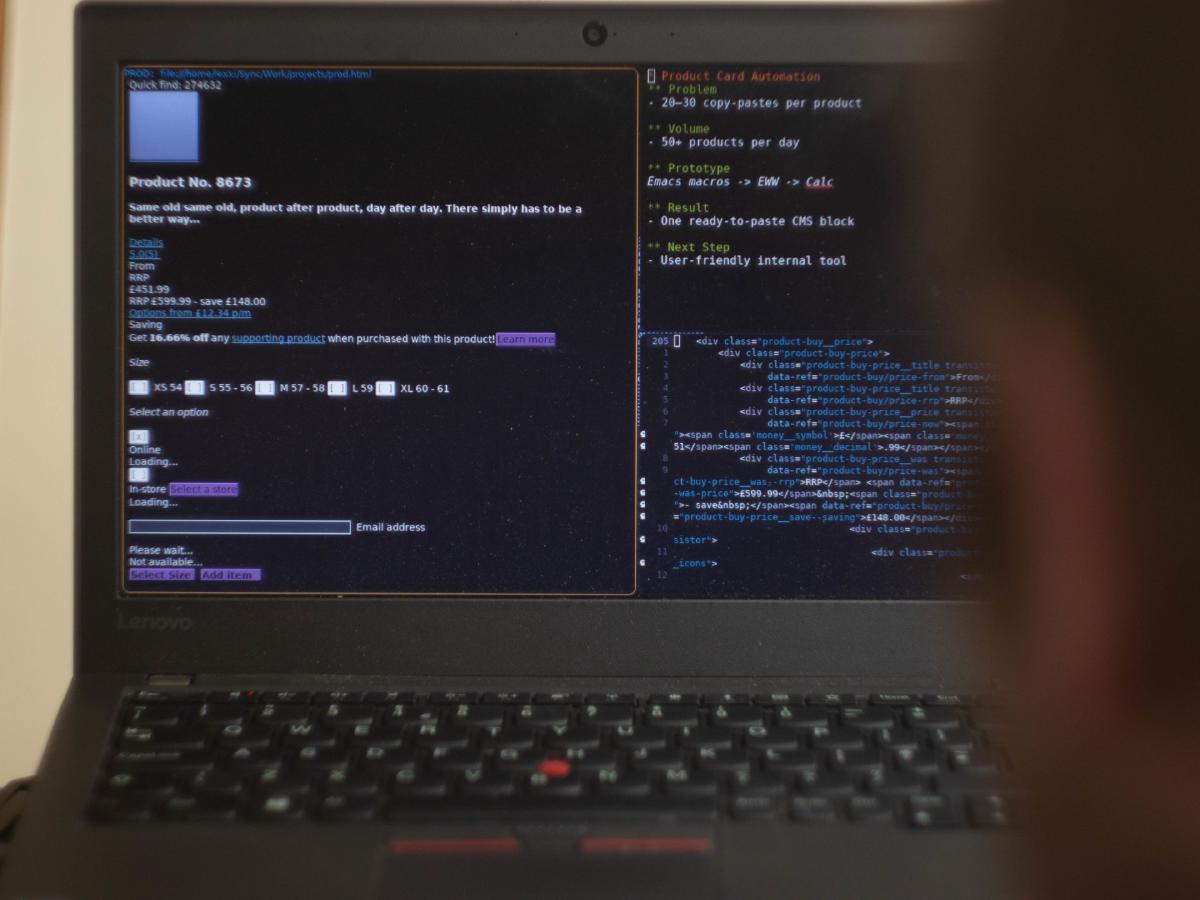
That might sound bizarre, but Emacs is a tool dedicated to text. Turning a job of 20–30 copy-pastes into one copy-paste is right up Emacs street, and it took me about 10 minutes of experimentation to get to a working prototype I was happy with.
"How", I hear you ask? I'm talking about keyboard macros. You may vaguely remember them from the dark depths of the settings menu in older versions of Microsoft Office, but never touched them. Once you're familiar with the basics of Emacs, keyboard macros are a quick, flexible and powerful way to optimise day-to-day tasks.
Detailed Workflow
So, targeting our trusty CMS as my first port of call, I had a quick look in the WordPress code editor. To my relief, product info was displayed as structured data — good ol' JSON wrapped in a WordPress block.
That made the process of automation a doddle; I just recorded a macro to pluck each product element from my working document, and wrap them in the appropriate key-value pairs.
At that point, it felt like the natural progression to automate fetching product details from the web too, and eww ended up working well for this. It's not a great web browser, but a surprisingly competent web scraper, when combined with the power of Emacs keyboard macros.
Then, I suddenly remembered how bad I am at maths, and having to manually calculate the percentage savings on a discounted product takes me way more time than it probably should. Although definitely a 'me' problem, this prompted a quick edit to the macro, utilising the Emacs calc package to perform the necessary wizardry (aka 'formula').
I also made sure the discount calculation would round down rather than up, for editorial integrity's sake — readers had previously contacted retailers demanding a discount we'd accidentally overstated, so I wanted to be sure the figures stayed honest by design.
After 10 minutes I had a complete pipeline built out, combining a handful of keyboard macros into one workflow tool:
Visit Product URL -> Extract Product Details -> Calculate Discount -> Format into WP Block -> Copy to ClipboardThe end result? one copy-paste per product. One hour of work reduced to a few minutes.
Beyond the Macro
This keyboard macro made my work go so much quicker that my manager started to take notice — "how on earth are you able to do this so quickly?" he wondered. When I revealed my secrets, it wasn't long before I was writing a version for the whole team to use.
I'd cheaply prototyped a workflow improvement, and gained stakeholder backing to rebuild it into a user-friendly version. The prototype became the structural blueprint, with each macro mapping neatly onto a corresponding function in the next version of the tool.
The important thing was that building the prototype wasn't a side quest distracting me from my work — it was part of doing the work. I was recording and improving a process I already had to perform, then using the result to justify building it properly.
That's when I became an internal tooling developer — someone with an intimate knowledge of everyday processes, the technical skill to improve them, and the product judgement to ensure non-technical colleagues can understand it.
Limitations
I did hit a few snags while working my way through the prototype, and these helped inform the next version of the tool.
Each additional retailer needed its own specific extraction logic.
At first the macro only worked with one retailer. Luckily, the calculation, formatting, and copying stages were designed as separate, reusable macros, so they didn't need rewriting. That made adding another retailer a roughly five-minute job whenever I needed one.
That was perfectly suitable for my own workflow, but it wasn't exactly extensible in the same way you'd expect from production-grade software. Ultimately, the scope was always meant to be small, so a handful of retailer-specific hacks was good enough to demonstrate the potential.
eww is not a fully fledged web browser or scraping library.
Although eww can save and reuse site cookies, it's still relatively basic by modern standards. Its built-in renderer doesn't execute JavaScript or handle pages that depend on a modern browser engine. That rules out some JavaScript-heavy websites, complex login flows, and automated human-verification methods.
As far as scraping goes, it's not the most sophisticated method available. In my case, the retailers I needed exposed enough useful information through regular old HTML, so sophisticated tools weren't needed for this.
Debugging became exponentially harder the bigger the macro grew.
A macro is just a sequence of keystrokes, so if one command fails — or quietly does something you didn't expect — anything after it can end up acting on the wrong buffer, selection, or cursor position. Emacs's error messages might tell you what operation failed, but not necessarily which part of the macro caused it, making debugging more of an archaeological dig than a technical process.
Again, for the scope of this prototype it was manageable enough, but it wasn't a sensible foundation for a maintainable, production-grade team tool.
What I learned
I never would've imagined the impact this one small keyboard macro would end up having on the direction of my career, back when I was running on the content treadmill day in, day out.
By the end, it had taught me key fundamentals of building business software — finding friction points, modelling processes, prototyping quickly, testing against real inputs, and working within limitations. It also showed me how a personal tool can become the blueprint for shared internal tooling.
This was my first exposure to building software for teams, but it cemented my approach to building tools:
- deeply understand what people need.
- prototype quickly.
- refine the result with them.
Building the wrong thing doesn't sting too much after ten minutes, but after ten weeks?
That's a different story…